> ## Documentation Index
> Fetch the complete documentation index at: https://docs-staging-chore-management-api-autoupdate.mintlify.site/llms.txt
> Use this file to discover all available pages before exploring further.

> JSON フローアクションを設定して、JSON オブジェクトを作成し、JSON を解析して文字列に変換する方法を学びます。

# JSON

この JSON アクションの一覧では、JSON オブジェクトの作成、JSON の解析、JSON の文字列への変換を行えます。

<h2 id="create-json-object">
  JSON オブジェクトを作成
</h2>

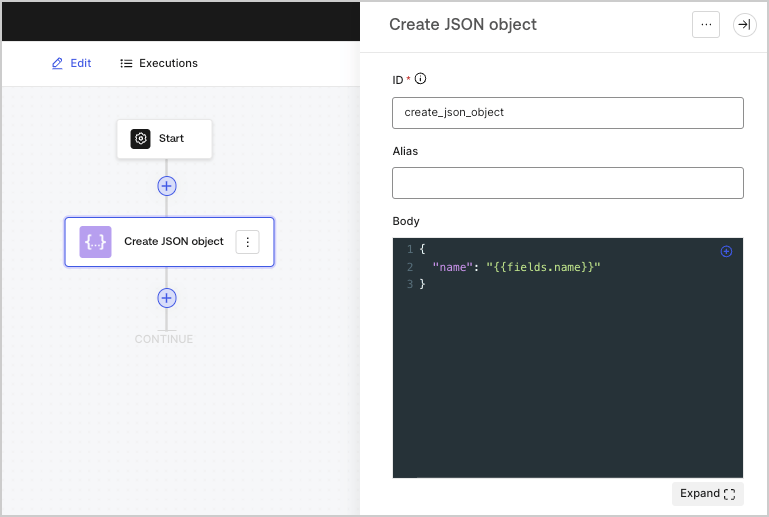
JSON オブジェクトを作成します。これは特に、フロー内の他の Actions でその内容を再利用する場合に便利です。
<Frame>
  <img src="https://mintcdn.com/docs-staging-chore-management-api-autoupdate/oVD85MvA7ZVayXF0/docs/images/cdy7uua7fh8z/1zJEENRPI2uONuCApPY98p/f1fce88a42fb13fb9856c95c562bd506/createjsonobject.png?fit=max&auto=format&n=oVD85MvA7ZVayXF0&q=85&s=0e7b5340e12bcdc205b19a49ee147576" alt="" width="769" height="517" data-path="docs/images/cdy7uua7fh8z/1zJEENRPI2uONuCApPY98p/f1fce88a42fb13fb9856c95c562bd506/createjsonobject.png" />
</Frame>

<h3 id="input-settings">
  入力設定
</h3>

| パラメーター | 説明           |
| ------ | ------------ |
| Body   | JSON オブジェクト。 |

<h3 id="output-object">
  出力オブジェクト
</h3>

| プロパティ    | 型      | 説明           |
| -------- | ------ | ------------ |
| `result` | オブジェクト | JSON オブジェクト。 |

<h3 id="output-object-example">
  出力オブジェクトの例
</h3>

```json lines theme={null}
{
	"result": {
		"name": "John Doe"
	}
}
```

<h2 id="parse-json">
  JSONを解析
</h2>

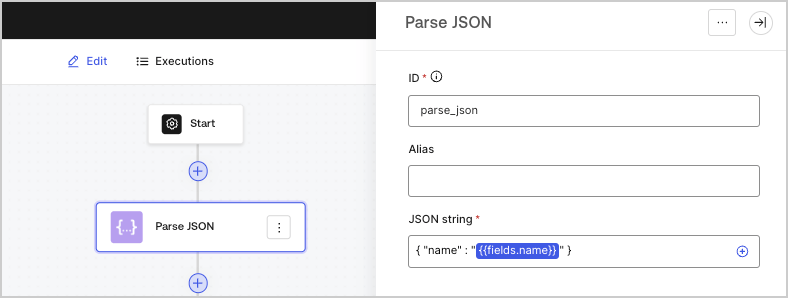
テキスト文字列に含まれるJSONオブジェクトを、JSONオブジェクトとして解析します。
<Frame>
  <img src="https://mintcdn.com/docs-staging-chore-management-api-autoupdate/uxaWpNuZEjMCtl4x/docs/images/cdy7uua7fh8z/5HjIGbBiWik1XozAZczxg5/fe2b0c6f7c657c4209921f1a0978e54b/parsejson.png?fit=max&auto=format&n=uxaWpNuZEjMCtl4x&q=85&s=894d895b583c590b9d3cb1620feff418" alt="" width="788" height="298" data-path="docs/images/cdy7uua7fh8z/5HjIGbBiWik1XozAZczxg5/fe2b0c6f7c657c4209921f1a0978e54b/parsejson.png" />
</Frame>

<h3 id="input-settings-2">
  入力設定
</h3>

| パラメータ            | 説明       |
| ---------------- | -------- |
| JSON string (必須) | JSON文字列。 |

<h3 id="output-object-2">
  出力オブジェクト
</h3>

| プロパティ    | 型      | 説明                |
| -------- | ------ | ----------------- |
| `object` | オブジェクト | パースされたJSONオブジェクト。 |

<h3 id="output-object-example-2">
  出力オブジェクトの例
</h3>

```json lines theme={null}
{
  "object": {
    "name": "John Doe"
  }
}
```

<h2 id="convert-json-to-string">
  JSONを文字列に変換
</h2>

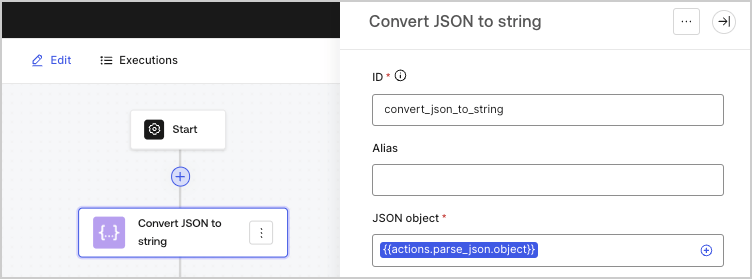
JSONオブジェクトを文字列に変換します。

<Frame>
  <img src="https://mintcdn.com/docs-staging-chore-management-api-autoupdate/XlNxCAKkEuH6gHRa/docs/images/cdy7uua7fh8z/45acWYMlTGc5ZWMzK5Cqqr/6974ea640a76d2d9cc5814225e52734a/convertjsontostring.png?fit=max&auto=format&n=XlNxCAKkEuH6gHRa&q=85&s=63d2621ddeeb36e9f4b5a211e72a674b" alt="" width="752" height="279" data-path="docs/images/cdy7uua7fh8z/45acWYMlTGc5ZWMzK5Cqqr/6974ea640a76d2d9cc5814225e52734a/convertjsontostring.png" />
</Frame>

<h3 id="input-settings-3">
  入力設定
</h3>

| パラメータ            | 説明                           |
| ---------------- | ---------------------------- |
| JSON オブジェクト (必須) | 文字列にシリアライズされる JSON オブジェクトです。 |

<h3 id="output-object-3">
  出力オブジェクト
</h3>

| プロパティ  | 型      | 説明                      |
| ------ | ------ | ----------------------- |
| `json` | String | シリアル化された JSON オブジェクトです。 |

<h3 id="output-object-example-3">
  出力オブジェクトの例
</h3>

```json lines theme={null}
{
  "json": "{\"name\":\"John Doe\"}"
}
```