> ## Documentation Index
> Fetch the complete documentation index at: https://docs-staging-chore-management-api-autoupdate.mintlify.site/llms.txt
> Use this file to discover all available pages before exploring further.

> Découvrez comment configurer votre connexion Vault SendGrid pour envoyer des courriels avec SendGrid.

# Connexion Vault SendGrid

<h2 id="get-your-sendgrid-keys">
  Récupérez vos clés SendGrid
</h2>

Vous les trouverez dans la page Settings du [SendGrid dashboard](https://app.sendgrid.com/settings/api_keys), à la section API keys.

<h2 id="configure-your-sendgrid-vault-connection">
  Configurer votre connexion Vault SendGrid
</h2>

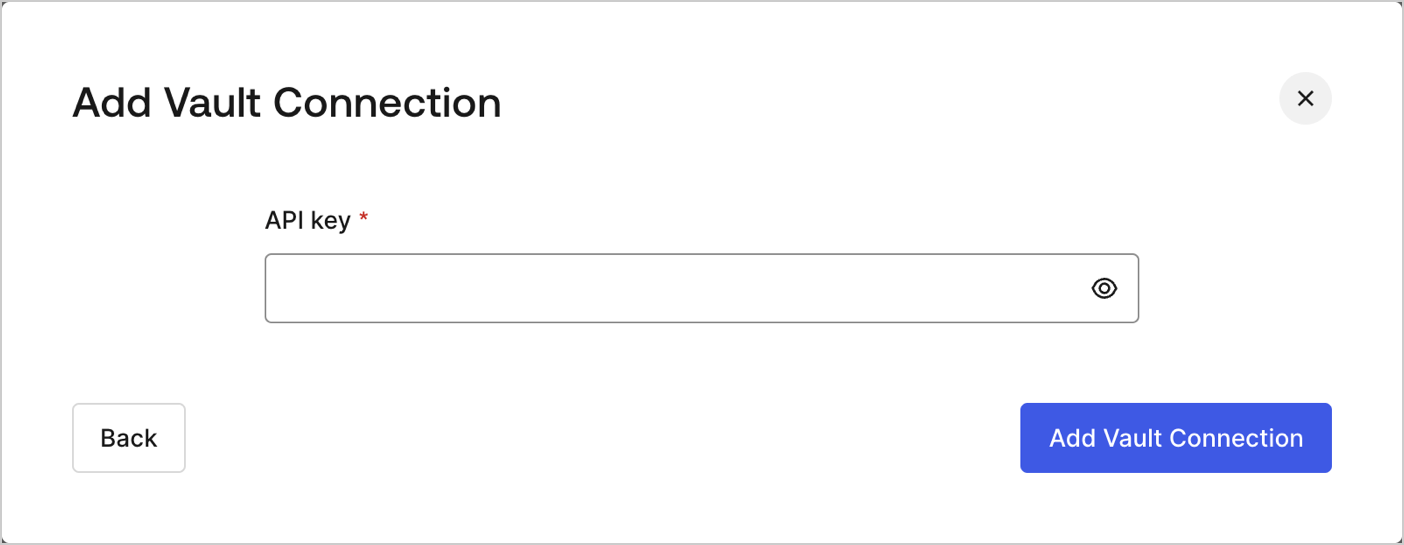
Pour configurer une connexion Vault SendGrid pour vos actions de Flow de SendGrid, vous devez définir les paramètres requis.
<Frame>
  <img src="https://mintcdn.com/docs-staging-chore-management-api-autoupdate/CHcdW8myicgKbZ7q/docs/images/customize/forms/vaults/sendgrid-vault-connection.png?fit=max&auto=format&n=CHcdW8myicgKbZ7q&q=85&s=a806ef80139830f9cdad5218ca5b2ff0" alt="Dashboard > Actions > Forms > Vault > SendGrid" data-og-width="1404" width="1404" data-og-height="545" height="545" data-path="docs/images/customize/forms/vaults/sendgrid-vault-connection.png" data-optimize="true" data-opv="3" srcset="https://mintcdn.com/docs-staging-chore-management-api-autoupdate/CHcdW8myicgKbZ7q/docs/images/customize/forms/vaults/sendgrid-vault-connection.png?w=280&fit=max&auto=format&n=CHcdW8myicgKbZ7q&q=85&s=d7b00076fdf890097958da1a15511b3f 280w, https://mintcdn.com/docs-staging-chore-management-api-autoupdate/CHcdW8myicgKbZ7q/docs/images/customize/forms/vaults/sendgrid-vault-connection.png?w=560&fit=max&auto=format&n=CHcdW8myicgKbZ7q&q=85&s=672137bee06de1663b4c977571f70bf2 560w, https://mintcdn.com/docs-staging-chore-management-api-autoupdate/CHcdW8myicgKbZ7q/docs/images/customize/forms/vaults/sendgrid-vault-connection.png?w=840&fit=max&auto=format&n=CHcdW8myicgKbZ7q&q=85&s=9b30e843e7a6053a4103b89414f718a7 840w, https://mintcdn.com/docs-staging-chore-management-api-autoupdate/CHcdW8myicgKbZ7q/docs/images/customize/forms/vaults/sendgrid-vault-connection.png?w=1100&fit=max&auto=format&n=CHcdW8myicgKbZ7q&q=85&s=154a31f209f2cc995f475029efcf6cfb 1100w, https://mintcdn.com/docs-staging-chore-management-api-autoupdate/CHcdW8myicgKbZ7q/docs/images/customize/forms/vaults/sendgrid-vault-connection.png?w=1650&fit=max&auto=format&n=CHcdW8myicgKbZ7q&q=85&s=fc1bd36c35f00bd16a5e4b5c485155ac 1650w, https://mintcdn.com/docs-staging-chore-management-api-autoupdate/CHcdW8myicgKbZ7q/docs/images/customize/forms/vaults/sendgrid-vault-connection.png?w=2500&fit=max&auto=format&n=CHcdW8myicgKbZ7q&q=85&s=3e7342ef2b2509dcca3efa60a9e6886f 2500w" />
</Frame>

<h3 id="input-settings">
  Paramètres d’entrée
</h3>

| Paramètre | Description                                               |
| --------- | --------------------------------------------------------- |
| API Key   | API Key utilisée pour autoriser l’accès à l’API SendGrid. |
